Website, Google, reviews, social, CRM and invoicing. All in one place.
The #1 business growthsoftware for fieldservice companies.Built by a real contractor.
Garten gets you found, wins you the job and runs the work. Your site, Google profile, reviews, social posts, quotes, crews and invoices, all connected.

Trusted by

 ElevatedLandscape Services



 RicherConcrete

Try it right here
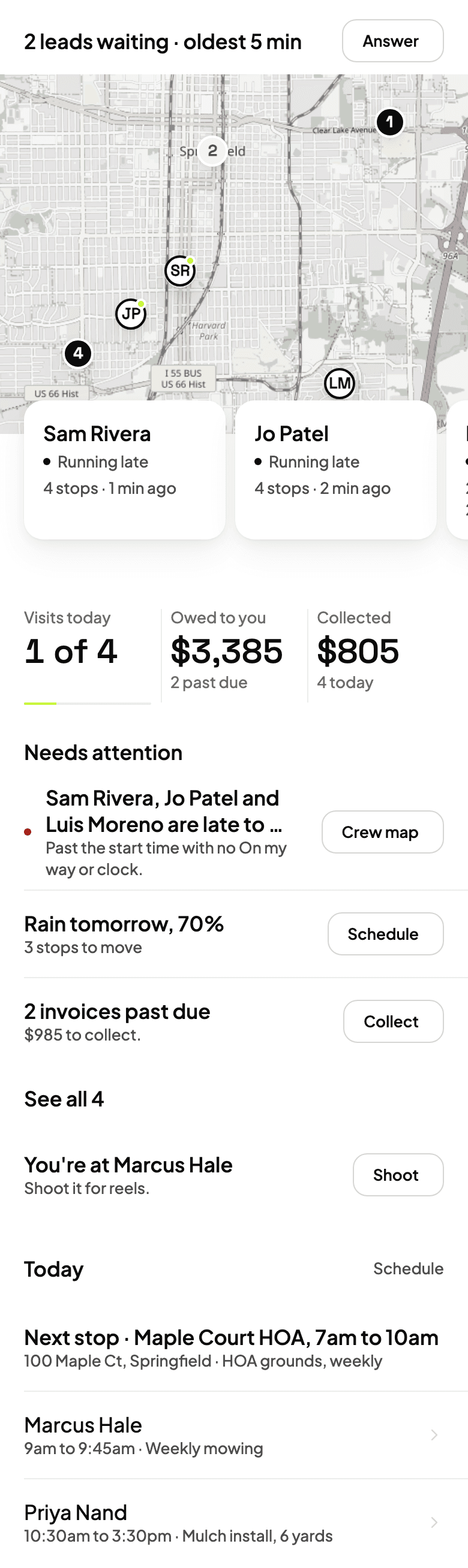
Click around. This is Garten.
The real dashboard, running a sample company. Open a job, move the schedule, check what a job made. Nothing here is saved or sent.
15 minutes with the owner, on your own business.
Real businesses. Real sites.
Every card is a real Garten contractor’s site, built from their own jobs. Lawn, hardscape, concrete, hauling and snow.

Elevated Landscape Services
Hardscape · Oconomowoc, WI
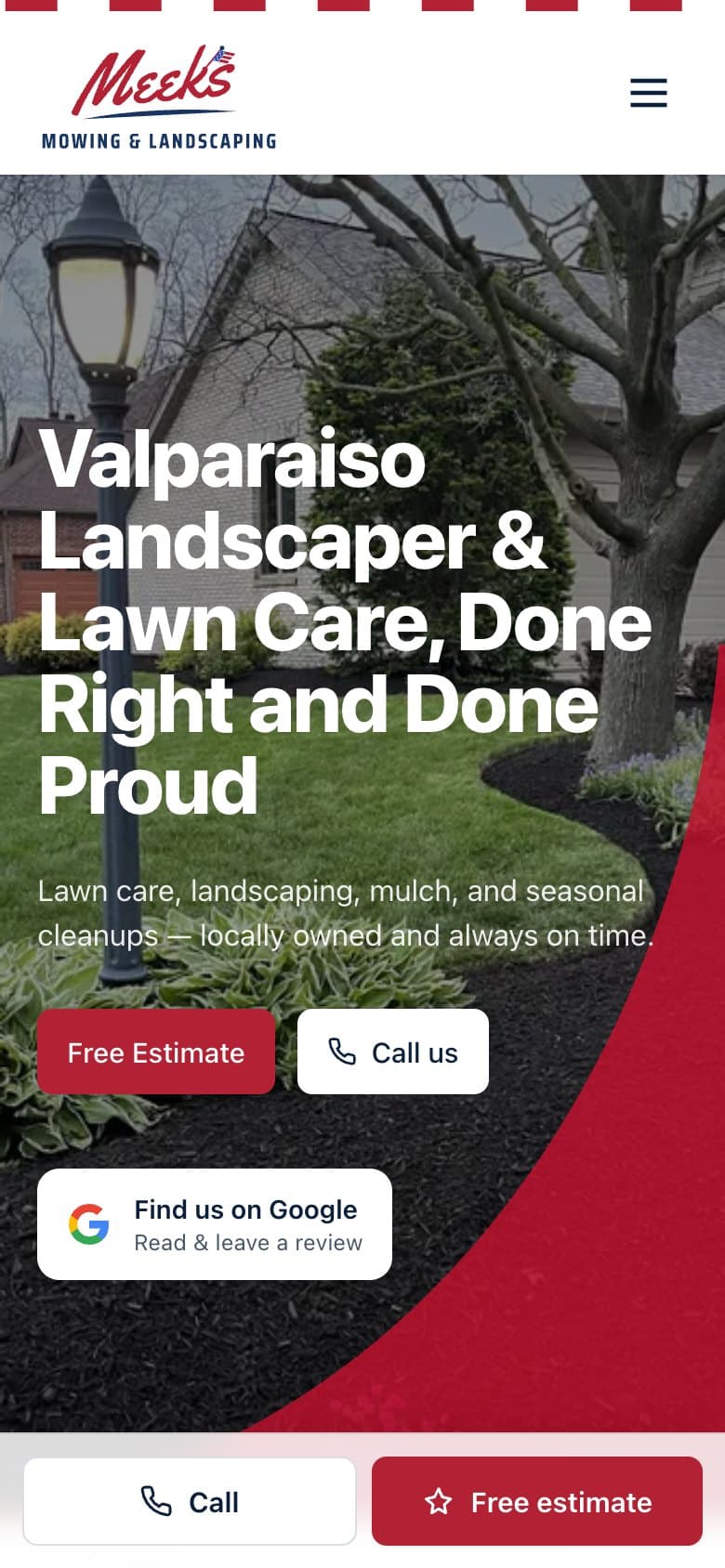
Meeks Mowing & Landscaping
Lawn & landscape · Chesterton, IN

Richer Concrete
Concrete · Wind Lake, WI

Keith White Landscaping
Landscaping · Randolph, MA
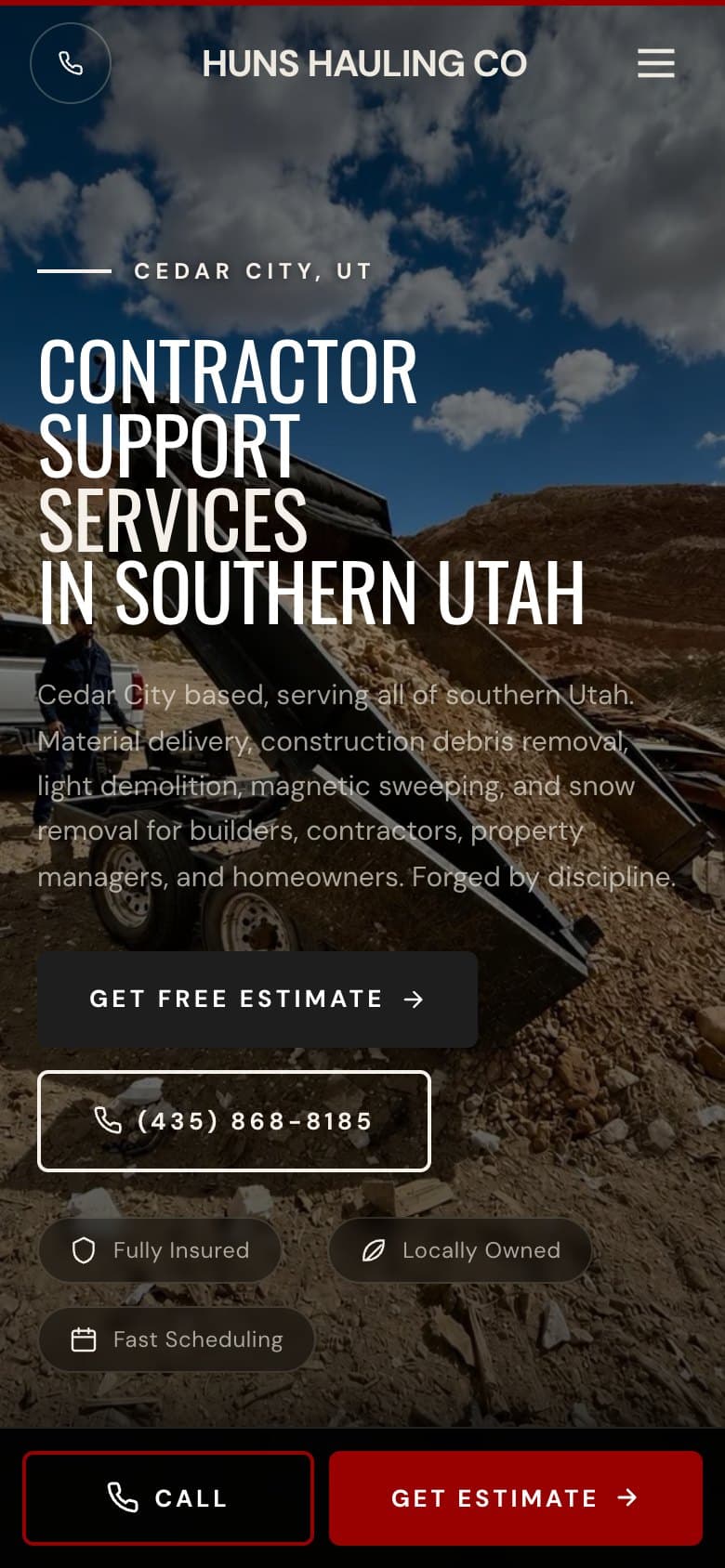
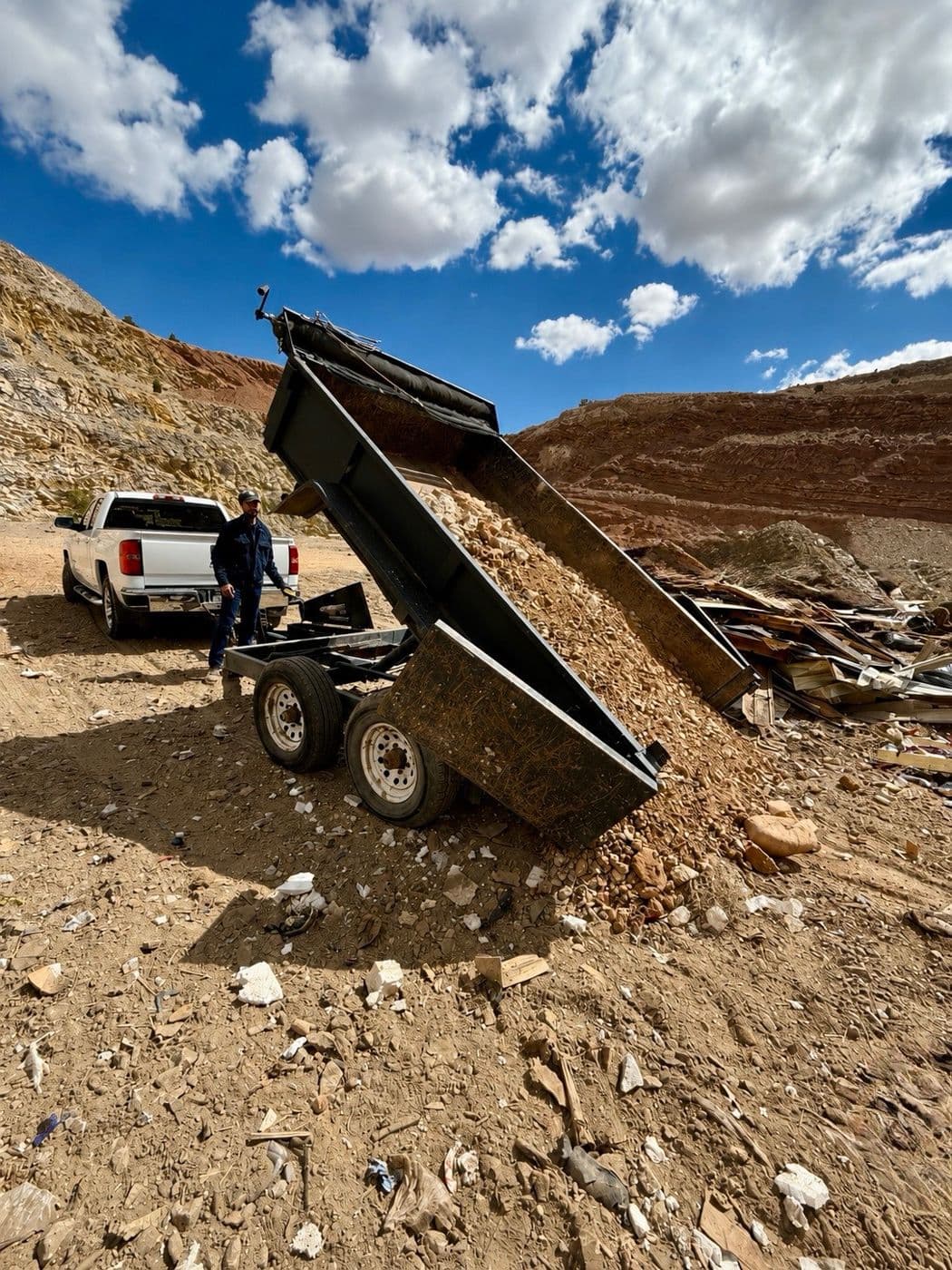
Huns Hauling Co
Hauling · Cedar City, UT

Stradley Landscape
Landscape & snow · Jackson Hole, WY
The system
The work you juggle across separate tools.
A GPS tracker, a spreadsheet, a calendar, invoicing, timesheets, a website. Seven logins, and a notebook in the truck anyway.
All in one.
One Garten account holds all of it, and every piece talks to the next. The lead becomes the client, the client's work becomes the job, the job gets paid.
What it does
Less admin. More visibility. More control.
Built by a contractor who ran crews for 12 years. Every screen below is in Garten today. The names and numbers are examples.
01 · Know what's happening
See what your crews are doing without calling them.
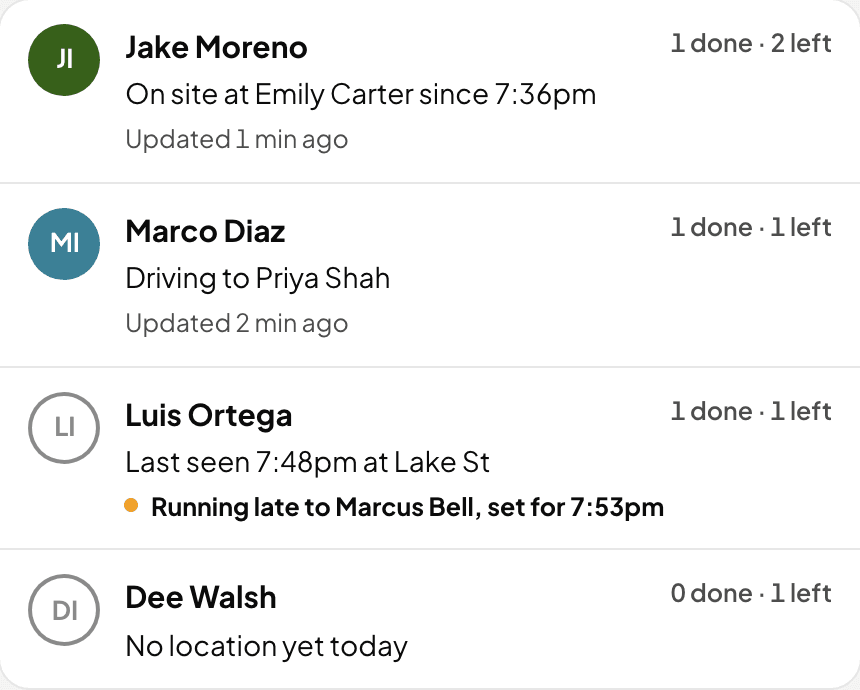
Crews, jobs, GPS and time on property, from the phones your crews already carry.
01 · Crew map
See every truck. Know what every visit really took.
Your crews show up on the map from their own phones while they are on the clock. When they clock in, Garten checks it against the job address. Then it lines up the minutes they clocked against what you charge, so the mow that eats 30 minutes on a 15 minute price stops hiding.
- Live from crew phones, only while clocked in
- Clocked in at the job, or how far off they were
- Clocked minutes a visit against your price
02 · Crew app
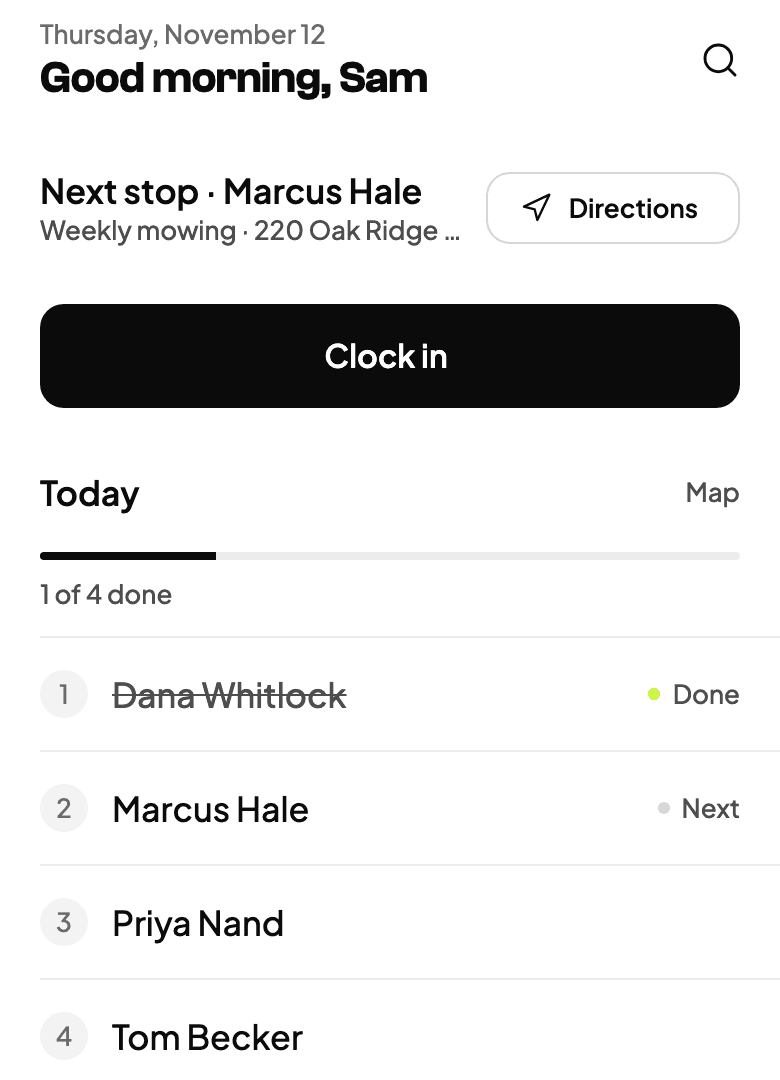
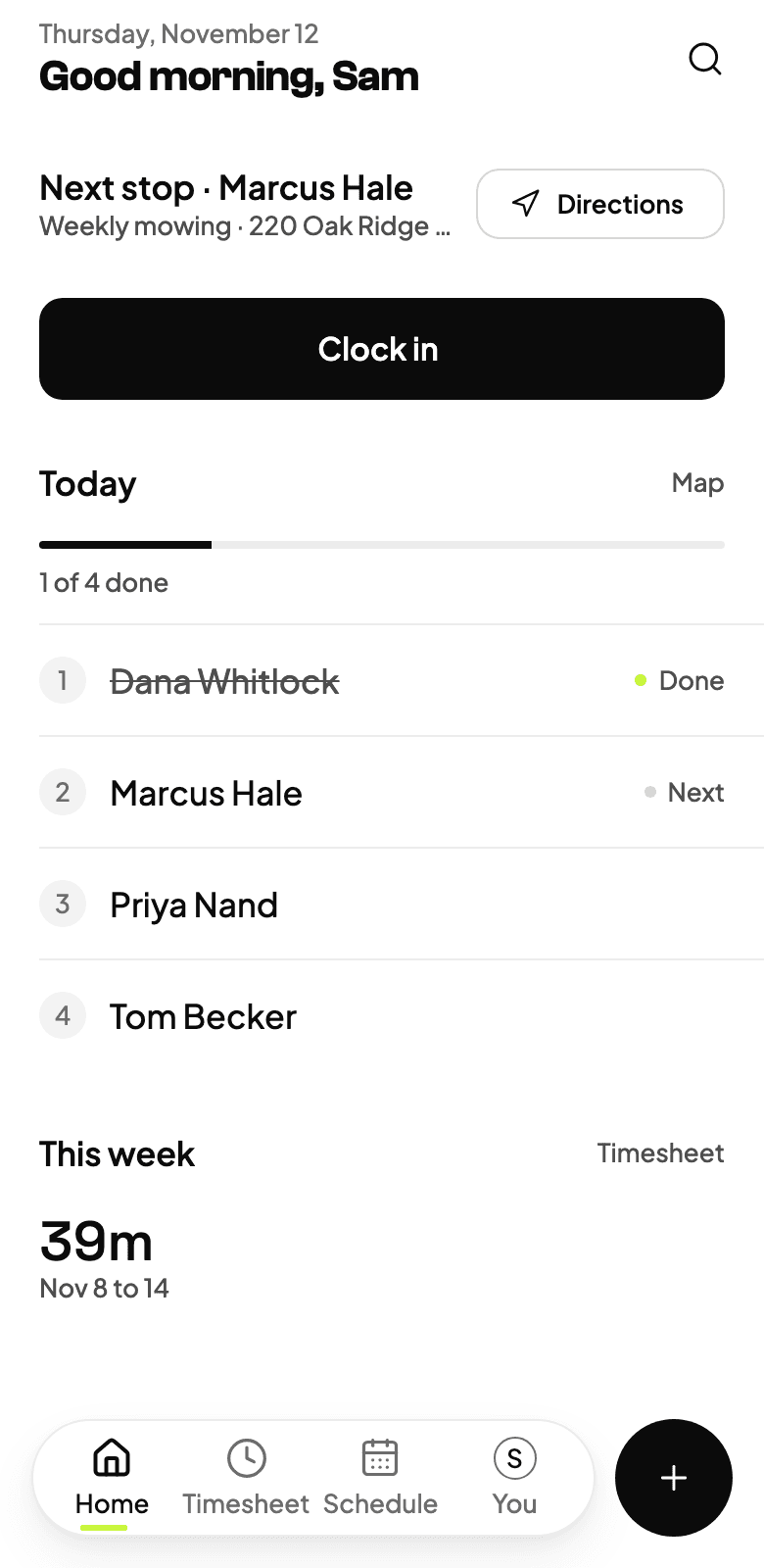
An app your crew will actually use.
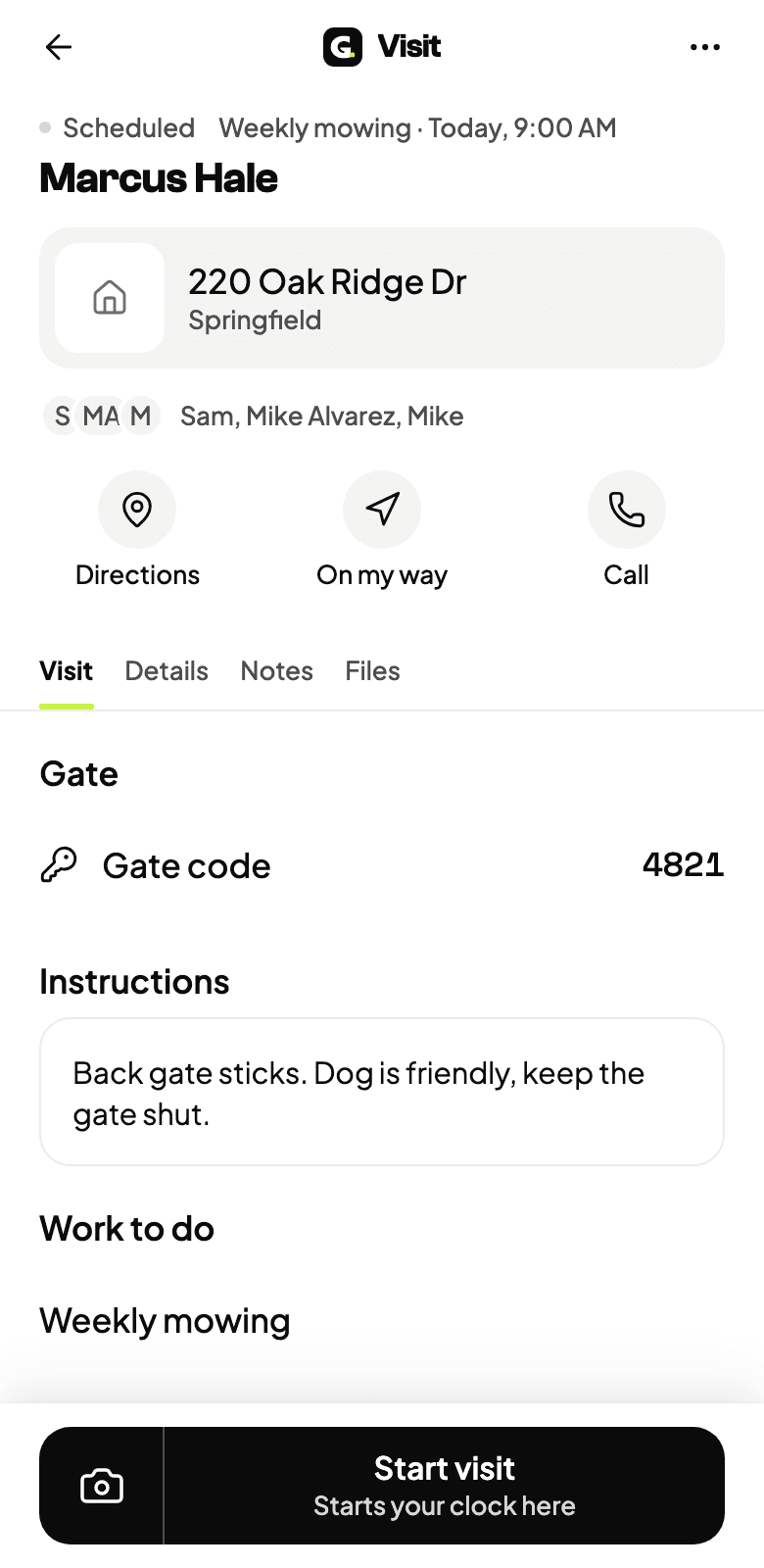
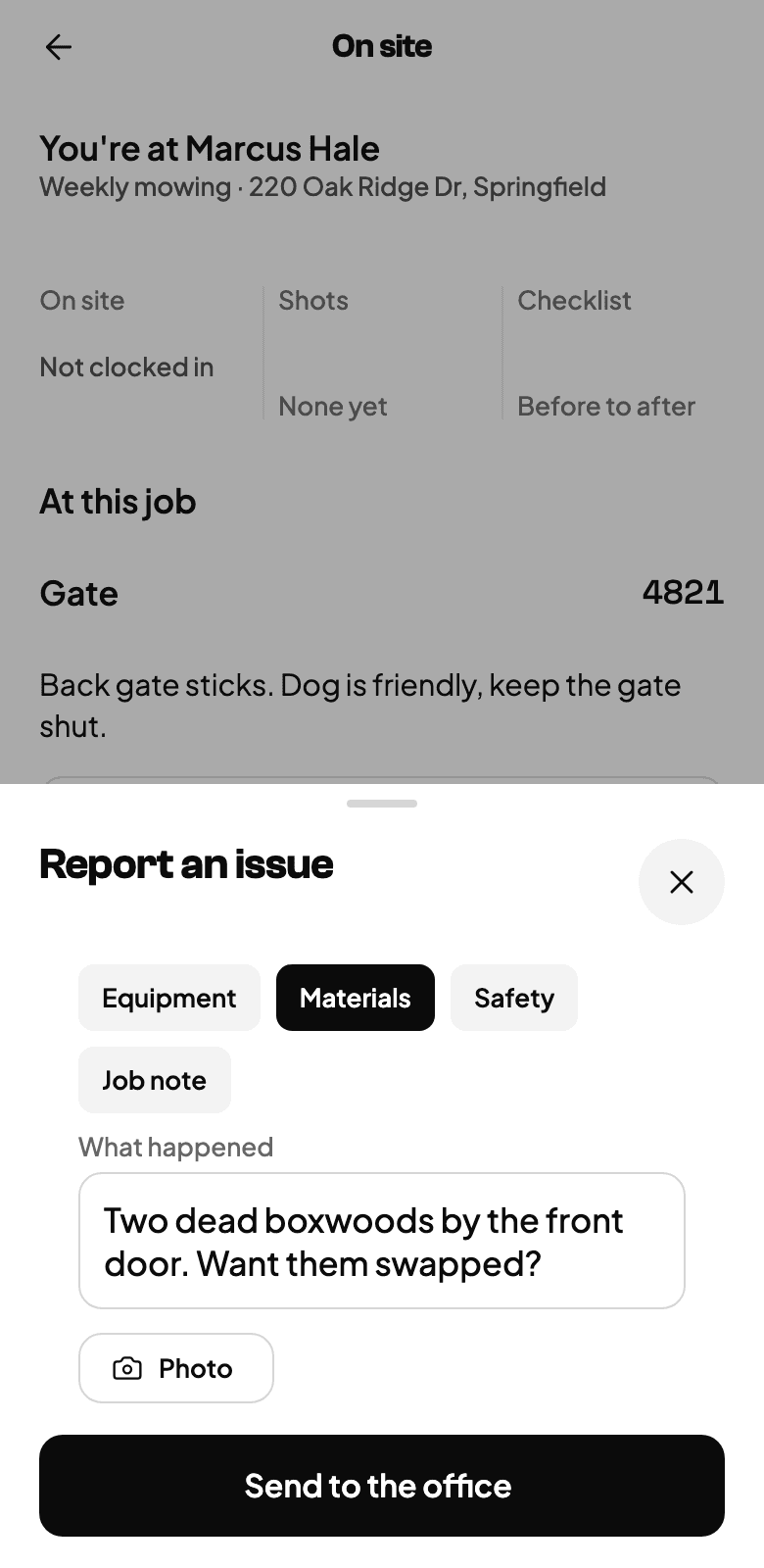
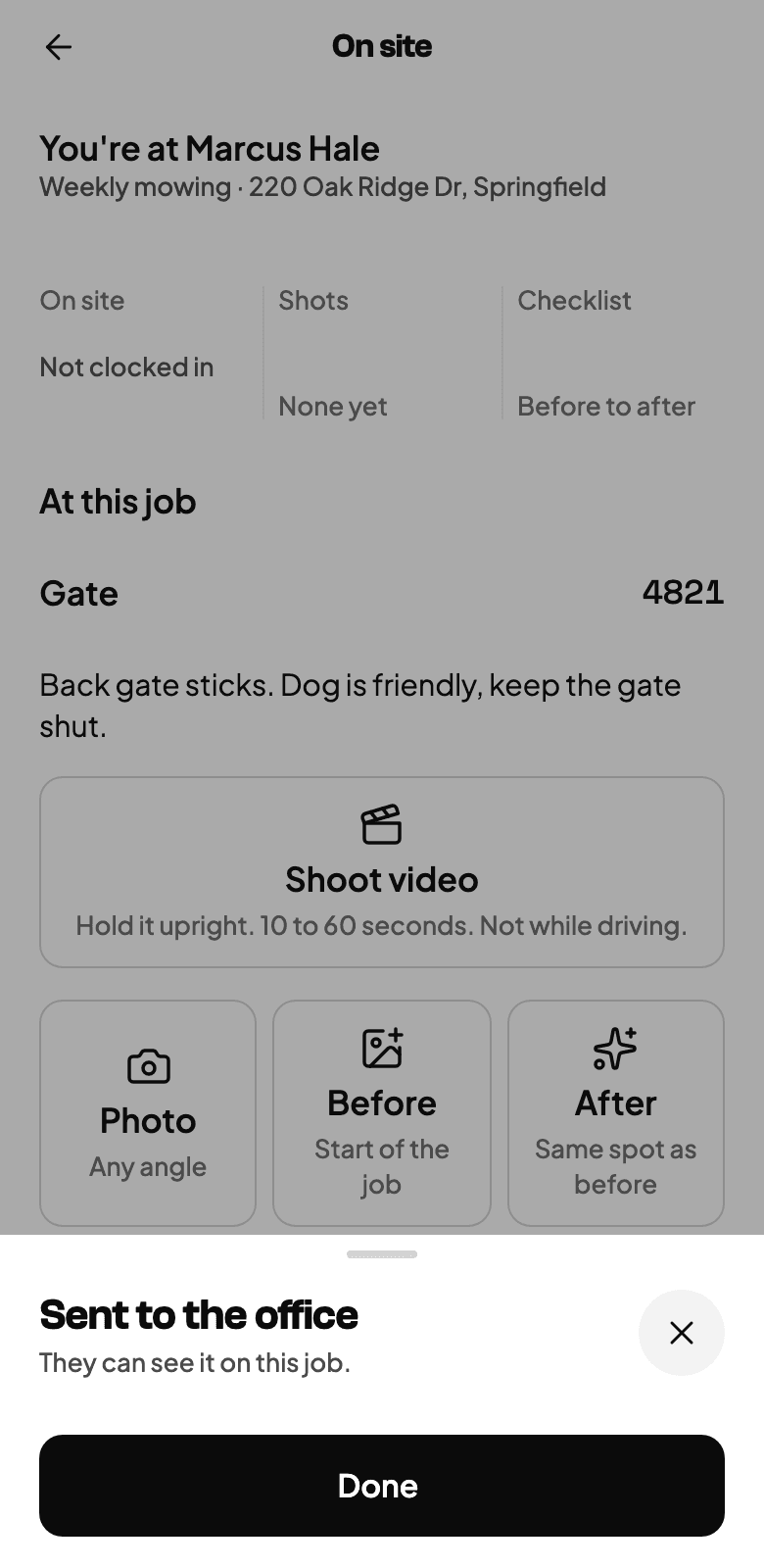
Clock in, gate codes, notes, before and after photos. If they spot extra work they flag it, and it lands on the job for the office, photo and all. No signal in the back yard? It saves and sends when it can.
- Clock in and out from the visit
- Before and after photos on every job
- Extra work they spot is flagged on the job
03 · Routes
The best route, in one tap.
One tap orders the day by real drive time. Visits with a set time keep their slot, and a stop with no address is called out instead of guessed at.
- Ordered by drive time
- Set times stay put
- Move a stop to another crew with undo
04 · Rain days
Rained out? One tap moves the day.
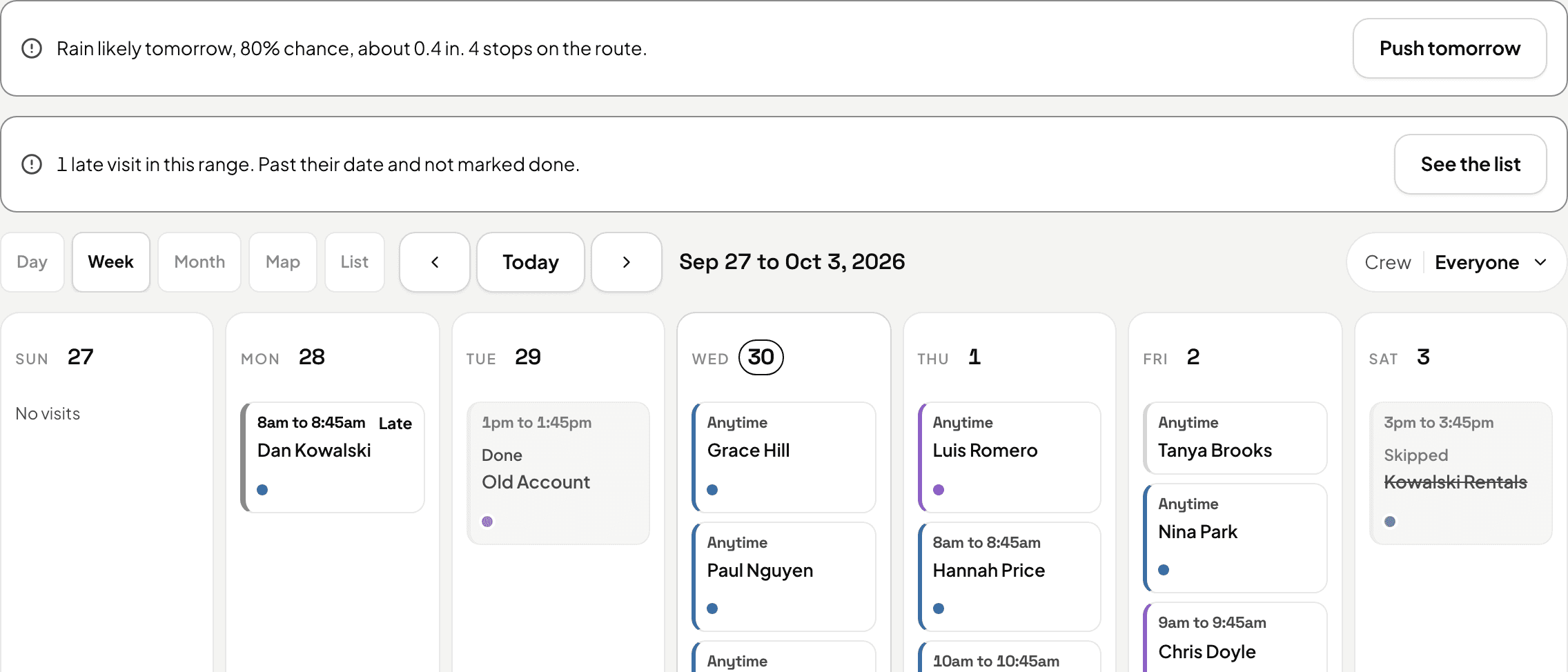
Garten watches the forecast for your route. Hit Rained out and the day slides to the next open one. Every customer it touched gets a text, but not for two minutes, so a wrong tap costs nothing. Never before 8 in the morning.
- Rain warning the night before
- The whole day moves, set times kept
- Two minutes to undo before anyone hears
02 · Know what's profitable
Know where your money is going.
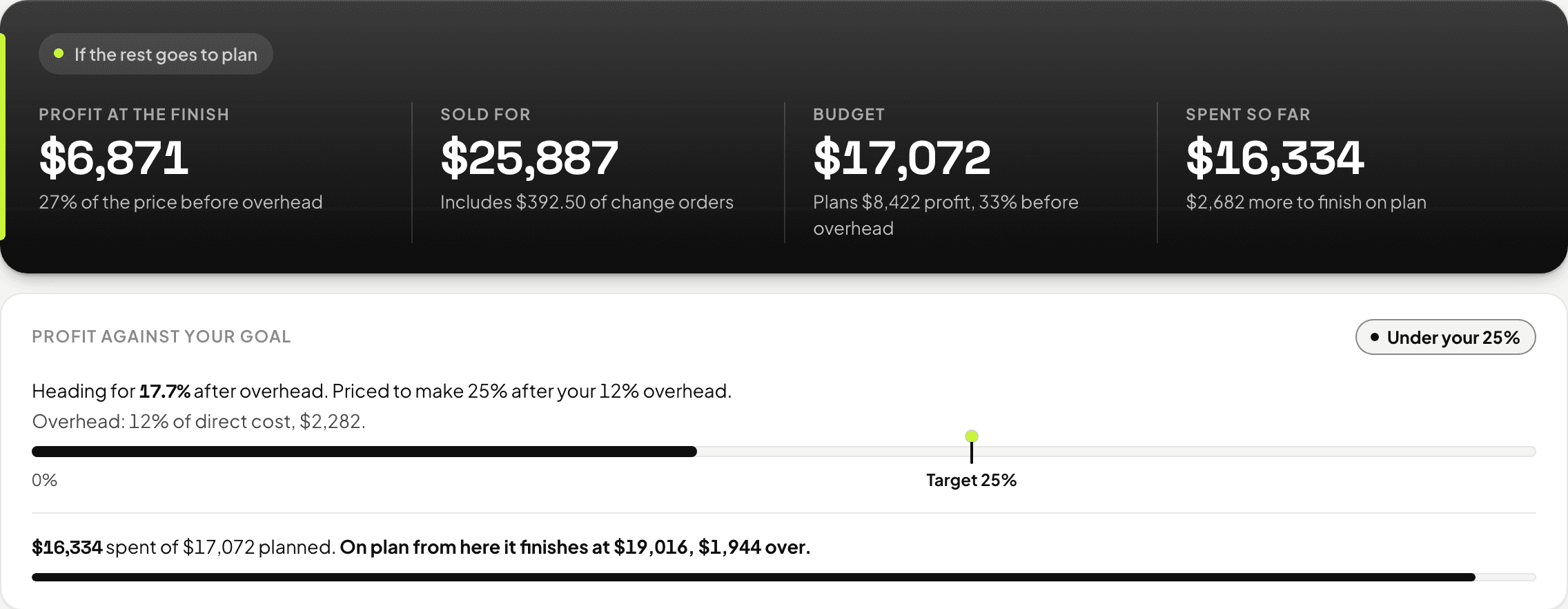
Compare the time your crew actually spent on a property with what the job was priced to produce, job by job and line by line.
05 · Job costing
Know a job is losing money while you can still fix it.
Every job carries its hours, materials, equipment, subs and drive. Cross the hours you allotted and your phone says so while the crew is still on site, not three weeks later when the bank account does.
- Budget against actual, line by line
- A heads up at 80% of the hours and when it goes over
- Profit by job type, so you sell more of what pays
03 · Stop doing things twice
Finish the job. The paperwork follows.
A finished visit can turn into an invoice without anyone retyping it, and the crew's clock turns into payroll hours.
06 · Invoices and payments
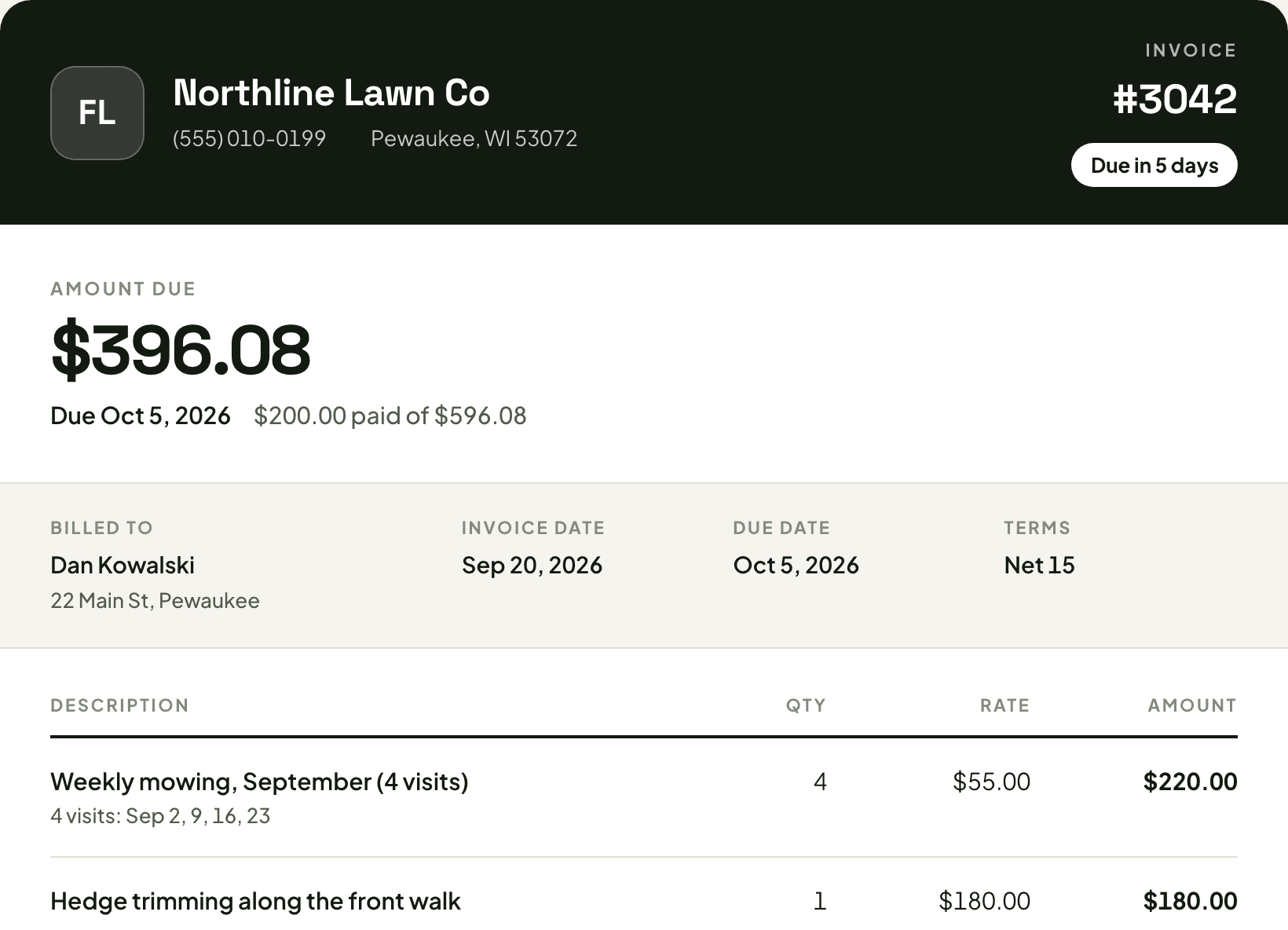
Bill the whole month in one tap. Get paid by card.
One invoice per client for everything you did last month. They pay from a link on their phone. When one goes past due, Garten sends the reminder so you are not the one chasing.
- Month-end billing, one invoice a client
- Card payments from a pay link
- Past-due reminders that go out on their own
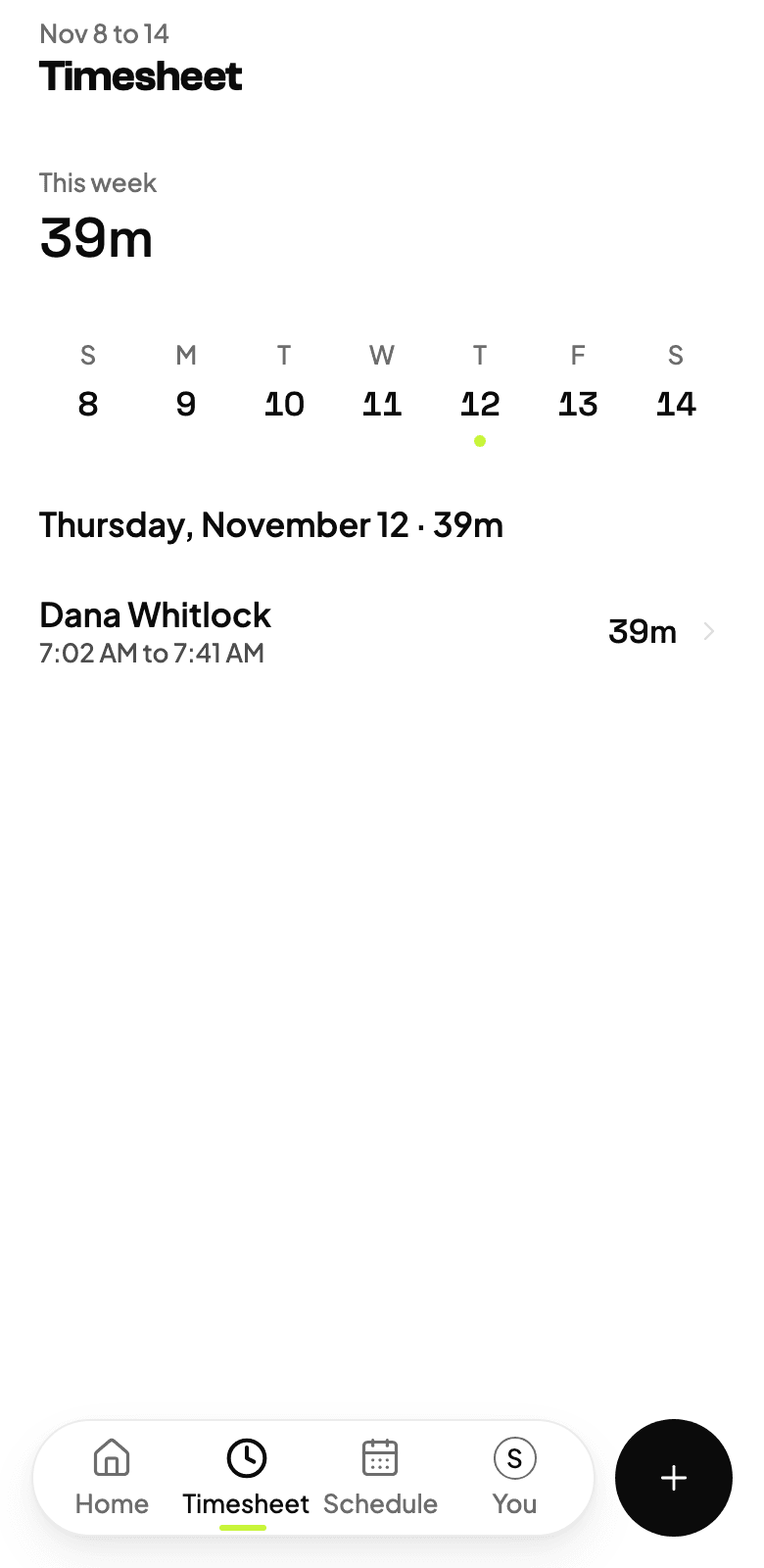
07 · Timesheets and payroll
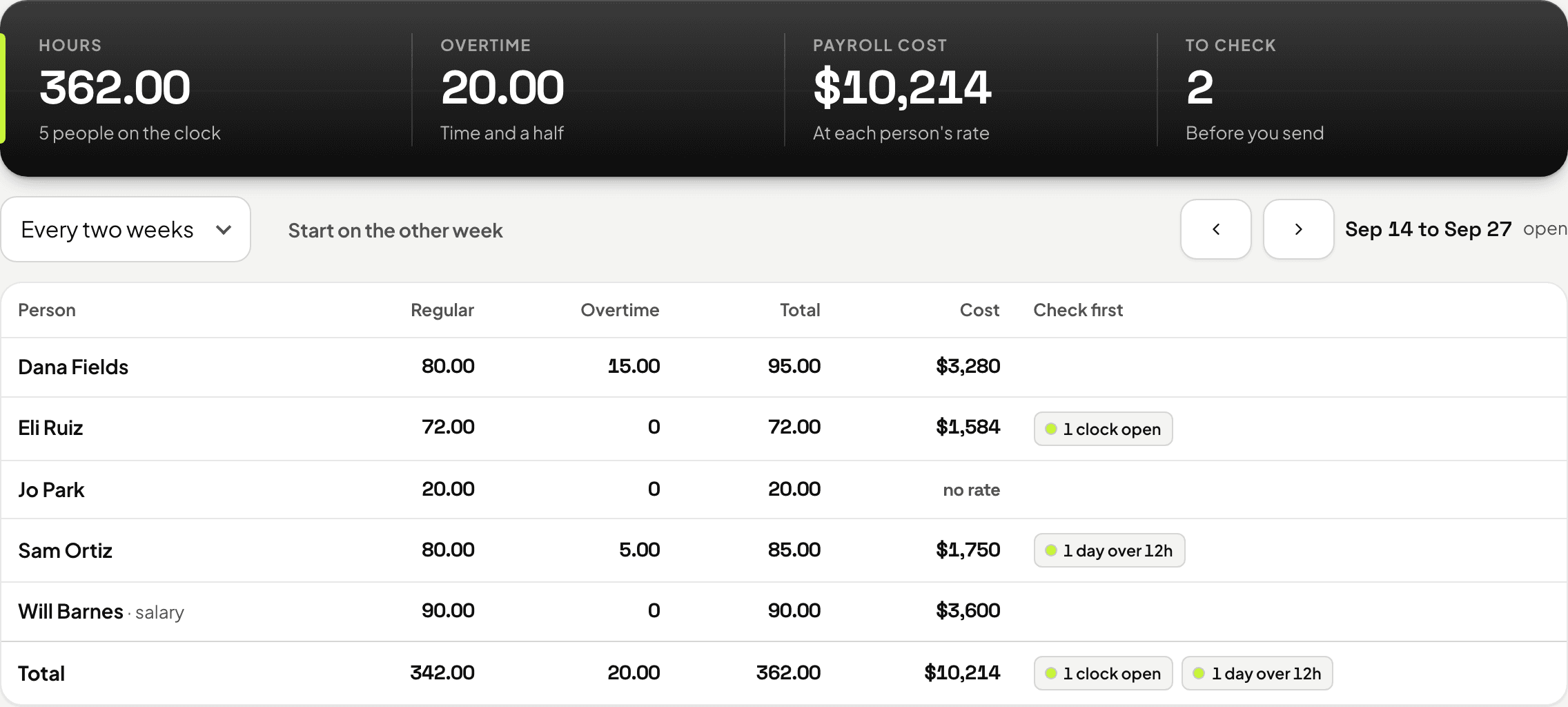
Timesheets that do payroll.
Hours come from the crew's own clock. Overtime is counted past 40 in a Monday to Sunday week, and a punch the phone's clock got wrong is held out until you fix it. Send the hours to Gusto, or download a file for ADP or QuickBooks.
- Hours from the crew's clock
- Overtime counted for you
- Gusto, ADP or QuickBooks
08 · Ask Garten
Ask your business anything.
Who owes you, what is on today, which jobs are running over. It answers from your own books, drafts invoices and builds reports with your logo. Nothing goes to a customer until you send it.
- Answers from your own numbers
- Drafts invoices and reports
- Never sends without you
04 · Commercial accounts
Every contract, and where it is in its cycle.
Season, scope, price and renewal date for every commercial account in one place, so the one you forget is not the one a competitor bids.
Contracts and e-sign
Season, scope and price, signed online, with every revision kept.
Renewal dates
The notice date and price escalator on every contract, so renewals come up before they lapse.
A board for every property
Each property's visits, requests and photos in one place.
Monthly contract billing
Each contract can bill on the month, for the amount you agreed.
05 · Field and office
Customers, office and crews on the same page.
Information moves from the customer to the office to the crew and back, without it all going through your phone.
One inbox
Every text, email and form message with clients and leads, newest waiting first.
Notes and photos from the field
Crews leave notes and before and after photos on the visit. Extra work they spot is flagged on the job for the office.
Property manager link
Commercial managers see their visits and send requests from one link, without calling you.
Client portal
One link with their visits, invoices and payments.
Rain-day texts
Move the day and every customer it touched hears about it, with two minutes to undo.
Gate codes and job notes
The crew sees the gate code and the notes on the visit, not in a group text.
And everything else a crew needs.
It shows up only when it applies. A mowing company never sees the snow board.
Snow
Storm board, plow routes, proof photos and billing.
Lawn programs
Bags per visit and load per route, priced from your bag prices.
Application records
Product, license, wind and weather on every treatment.
Bring your list
Any customer CSV from the software you use now. Open balances come too.
Review asks
Finished-job photos and a review ask the next morning.
Deposits
Big jobs ask for money up front and wait for it.
Friday report
A text at 4 on Friday with how the week went.
Insurance and licenses
A text 45, 30 and 7 days before anything expires.
In their words
“I've been working with them about three months now, and ever since I started working with them, my leads have doubled.”
Harrison
Meeks Mowing & Landscaping · Chesterton, IN
Leads doubled, in his words, on camera.
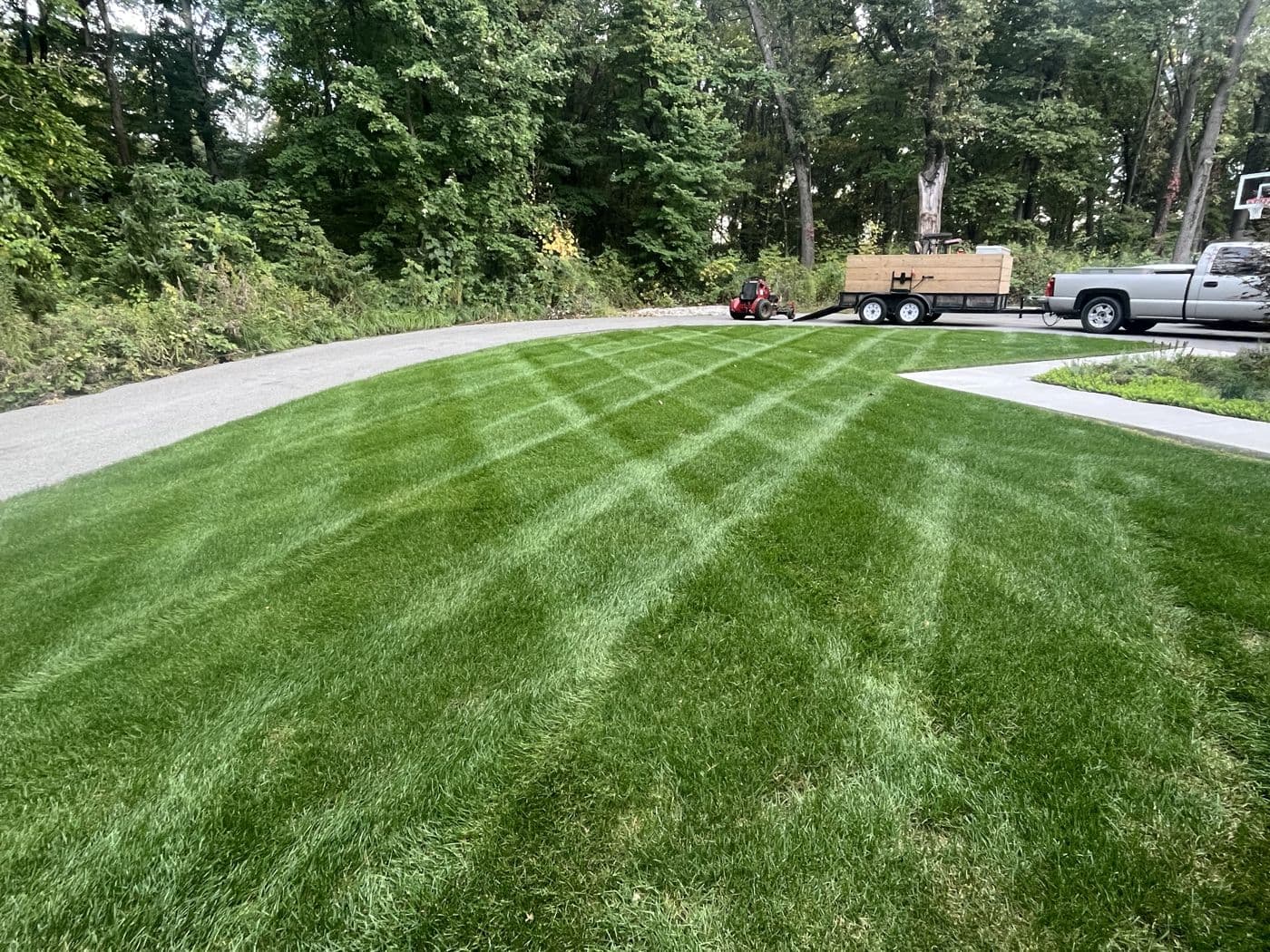
“Where we are today from where we started is a night and day difference, and we couldn't recommend him enough.”
Attila
Huns Hauling Co · Cedar City, UT
From a site they built themselves to one they are proud to share.
Done for you
We run all of it.
We build it, run it, and keep it working. You run the jobs.

Garten, done for you
Ty and the team, working your list
On your plate
6
Setup & build
Your site built, on your domain, from your own jobs.
Google profile
Categories, service areas and photos set up by hand.
Town pages
A page for every town and service you want, up to 40.
Jobsite clips
Cut, captioned and posted for you. $597 plan.
Reviews
Every review tracked and answered.
Changes
Text Ty. It gets done. No ticket, no call center.
One team, working inside your business.
Managed
Need more answers?
No. Book 15 minutes with Ty and see Garten on a real business before you pay a dollar. No contract, cancel anytime, and the site is yours either way.
$297 a month gets you found. $597 a month adds your jobs turned into content. The CRM is its own plan when you want it: Garten CRM, $297/mo, with no per-user fee.
No. Keep what works. Start with the site and the Google profile, and move your jobs and invoices over later, or never.
You text Ty. The guy who built it answers, and it gets done.
Pricing
Everything you need to grow. Nothing you don’t.
Choose what your business needs today. Add more as you grow.
Get found
Get found by customers looking for your work.
$297/mo
- Professional website
- Google Business Profile optimization
- Local SEO and city pages
- Review management
- Lead capture and instant notifications
15 minutes with Ty, the owner. No contract.
Garten CRM
Run your business. Know what every job costs.
$200/mo$297
Founding price for the first 20. Then $297/mo. 20 spots left.
- Quotes and estimates
- Job costing and profitability
- Scheduling and job management
- Crew app and time tracking
- Customer management
- Contracts and invoicing
No contract. Cancel anytime.
Get Found + Town Takeover
Turn the work you’re already doing into your next customer.
$597/mo
- Everything in Get Found
- Jobsite video collection
- Video editing and captions
- Social media publishing
- Content approval workflow
15 minutes with Ty, the owner. No contract.
Want more than one? Garten works even better together.
Combine any plan. Text Ty to talk through what makes sense for your business.
Book a demo
Not sure where to start? Ask the contractor who built it.
15 minutes with Ty, the owner. Tell him where the business is stuck and he shows you what to fix first, whether or not you ever use Garten.
- Website
- Reviews
- Lead capture
- Social
- Operations
Run next week on Garten.
Book 15 minutes with Ty, the owner. He walks you through your customers, an invoice, the crew app and a few days of routes.